Before You Use AI Generated Images, Read This
- March 30, 2026
- Prachi Gupta
- AI Guides
In the Last Year, I Have Used 5 Different AI Image Generation Tools. They are all different and surprising in their own way. They have all taught me something about how ai generated images work, and what people think they do.
Table of Contents
ToggleIf you are curious about the hype of ai generated art for yourself, let me be clear: AI generated artwork is not magic, free, or like you thought it would be.
The largest misunderstanding is that it is all about creating the perfect prompt to get a good image generated. When I first started using these tools, I made the common mistake of thinking a good prompt would produce a good image.
I used to create prompts like “Cartoon Character Sitting On A Couch,” and I expected to get a cartoon character. However, the image I created was just an “OK” drawing of a couch that was not at all what I was looking for.
The real truth is that the prompt is not almost all about creating a good image; it is all about the details of what you are asking the AI to make. I have used the AI for animation projects, and when it comes to making CGAN characters, this is how I create those characters.
How I Prefer To Make a 3D Character
Select a style — CGAN, serious 3D, specific artwork, etc.
Select an angle — wide shot, close-up, overhead, etc.
Select an artist — Alphonse Mucha, Walt Disney, Dr Seuss, etc.
Layout of environment (type, colours, and background)
Configuration of lighting (shadows, highlights, direction of source)
Poses and objects (character’s hand hold, seating style, etc.)
Eliminate junk descriptors
This is precision work rather than simple typing. I have been using Nano Banana for my main program for six months, and the game-changer was to upload a reference image and have it match my specifications exactly.
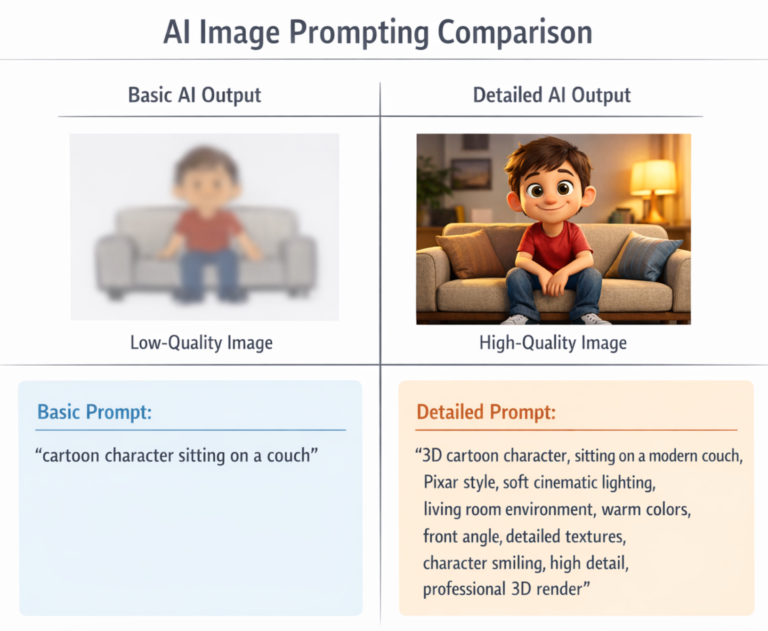
The results have improved drastically. My friends who do video animation for their businesses began using the same method and have experienced an immediate improvement in consistency.
When you have a reference image uploaded with exact specifications, the output will occur as expected. If you use junk descriptors, these will contradict your prompt and cause things not to work.
Less is more, as long as you have said everything that matters.
Related: How to Write ChatGPT Prompts Effectively (Complete Guide 2026)
Which Is the Best AI Tool?
This is not the right question to ask. What I have experienced is that each of these tools — ChatGPT, Leonardo, Nano Banana, Ideogram, and MidJourney — responds differently to prompts. They have also been trained using different data sets.
Therefore, you cannot simply name something as “the best.”
For example, Leonardo works great when you are specific. If you are vague, you will get very vague results.
My biggest disappointment with ChatGPT is its image generation function. I have had to abandon using it for production work due to rendering problems and unreliable results.
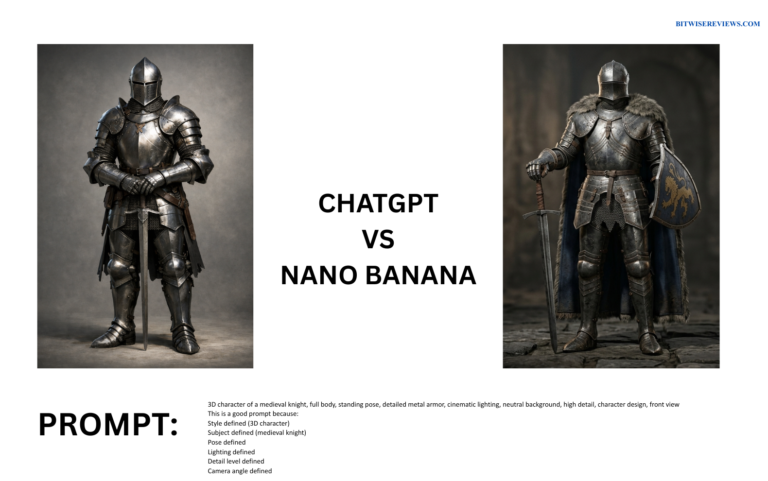
Nano Banana is the tool I am using most often to produce detailed character designs because its reference image capability is unmatched. Once you understand its prompt format, you can depend on Nano Banana to provide consistent results.
I continue to explore the potential of Ideogram and report back with my current level of expertise and experience, which is limited at this time.
I have no experience with MidJourney, and I am not going to act as though I am an expert because I am not.
My recommendation: Start with Nano Banana. Not because of the hype around the product, but because of the ability of its reference image system to eliminate guesswork. Consistency is your key, as changing AI tools in the middle of a project will result in inconsistency in character design and visual aesthetic.
The resulting lock-in or switching costs give the AI companies significant leverage when it comes to pricing.
Also Read: Best Free AI Design Tools 2026 That Actually Work
AI Bubble Reality: Observing Market Fluctuations
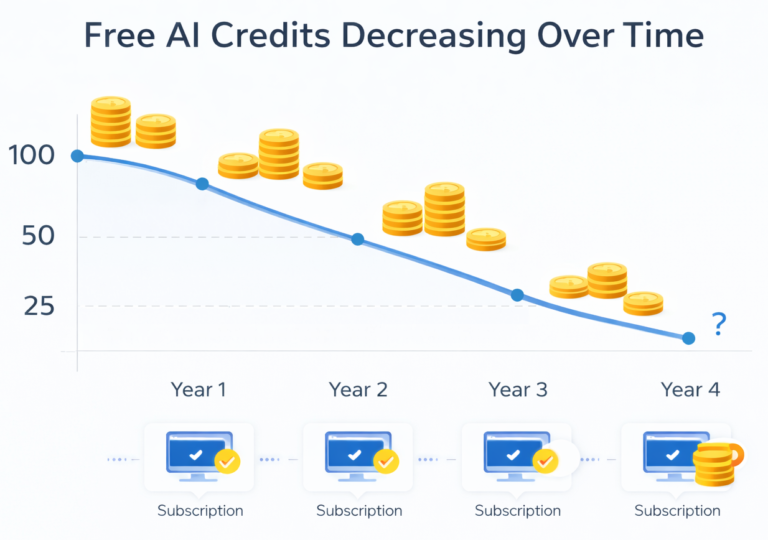
The evolution of the market is happening in real time. One year ago, tools offered 100 free credits to customers. Today, that number is 50. Many companies have eliminated their free tiers.
The hype is that ai generated images will always be free. The reality, however, is that free credits are disappearing. The professionals who use those tools need to pay to subscribe.
Tools continue to improve, but prices continue to increase. The people using the tools for free are generating hype, and those using the tools to create a true business are generating revenue.
The platforms are shifting their focus as well. Switching tools creates a lack of consistency in your business. Lack of consistency results in being locked into a single platform, and results in the tool costing more.
Where These Are Being Used Effectively
I have used ai generated images for real business projects in the past, but I also know many of my friends use ai generated art for their business projects, i.e., animations, videos.
Is this efficient?
Animation/detailed project — time investment
Pro work — subscription-based costs
Character — image and spec references
What Isn’t Efficient?
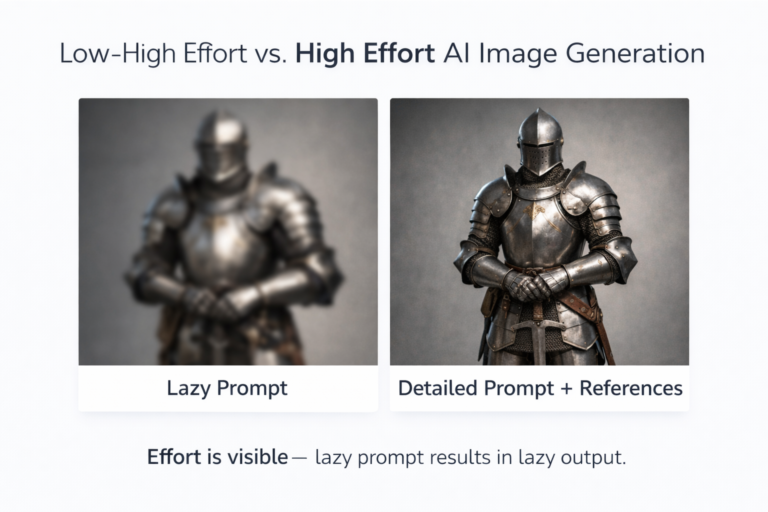
Expecting good quality without putting forth anything
Changing tools during a project
Using lazy prompts and expecting great results
Many people are expecting fast, professional artwork, but the tools out there require a high level of time and monetary investment.
Read More: AI Image Generators Explained: Midjourney vs DALL-E
To Get Started…
If you are serious:
Choose one tool (Nano Banana or Leonardo) — focus
Learn the quirks of each tool through trial and error and reference
Use reference images to reduce randomness
Define all aspects of your project — style, angle, lighting, environment, and pose.
Create a budget. Most pro work can only be done with paid subscriptions.
Real Talk: AI-Based Artwork Is Not Going To Replace Designers
It is going to be a tool for artists who spend time making art with AI.
I used 5 different tools to generate images. From the generated images, I created an animation. If you are willing to be very specific with your prompts, provide reference pictures, and utilise a quality application, the results will be amazing.
First, pick one tool, then be very specific, use reference pictures, and make something real. This is your path to the future, using AI to make images.
External Links
OpenAI Terms of Use – AI-Generated Content Ownership
https://openai.com/policies/row-terms-of-use/
Google Generative AI Use Policy
https://policies.google.com/terms/generative-ai/use-policy
Leonardo AI
https://leonardo.ai/